




Modbus RTU to TCP Converter: How It Works, Wiring and Setup Guide
Most field devices, including energy meters, PLC I/O modules, temperature humidity sensors and water leak sensors, still talk Modbus RTU over RS-485. SCADA systems, HMIs and cloud platforms expect Ethernet. A Modbus RTU to TCP converter sits between the two and lets a serial bus appear on the network as a normal Modbus TCP device.
This guide walks through what the converter does to each frame, how to wire and configure it, how to troubleshoot the usual timeout errors, and when a full IoT gateway is the better choice.
What Is a Modbus RTU to TCP Converter?
A Modbus converter links serial Modbus RTU devices to an Ethernet network. You will also see it called a Modbus to Ethernet converter, a Modbus serial to Ethernet converter or a Modbus to IP converter. The names differ, but the job is the same: accept Modbus TCP requests on an IP address, send them to the right device on the RS-485 bus as Modbus RTU, and return the reply.
The same box converts in both directions: Modbus TCP requests from the network become RTU frames on the bus, and RTU replies from the field become TCP frames again. That is why the same product is sold as a Modbus RTU to Modbus TCP converter or as a Modbus TCP to RTU converter. To the SCADA system, the whole serial bus looks like one Modbus TCP server, so a Modbus to Modbus TCP converter is often the quickest way to bring legacy equipment onto a modern network without replacing it.
Modbus RTU vs Modbus TCP: What Actually Changes
| Item | Modbus RTU | Modbus TCP |
|---|---|---|
| Physical layer | RS-485 or RS-232 serial | Ethernet (TCP/IP) |
| Device addressing | Slave address 1–247 (0 = broadcast) | IP address + TCP port 502 + Unit ID |
| Error check | CRC-16, 2 bytes at the end of each frame | No CRC in the Modbus layer; TCP handles integrity |
| Frame boundary | Silent interval of at least 3.5 character times | Length field in the MBAP header |
| Header | None | 7-byte MBAP header |
| Traffic model | One master, half-duplex, one transaction at a time | Multiple clients and concurrent connections |
| Typical reach | Up to about 1,200 m per RS-485 segment at low baud rates | 100 m per copper Ethernet link, extended with switches or fibre |
What does not change is the PDU, meaning the function code and data. Reading holding registers is function code 03 on both sides, and the register values are identical. Conversion only swaps the "envelope" around the PDU, so it adds no data loss or rounding.
How the Conversion Works, Byte by Byte
Take a common request: the SCADA system wants to read two holding registers, starting at address 0, from the device with slave ID 1.
1. Modbus TCP request from SCADA
00 01 | 00 00 | 00 06 | 01 | 03 00 00 00 02- 00 01: Transaction ID, used to match the reply to this request
- 00 00: Protocol ID, always 0 for Modbus
- 00 06: Length, meaning 6 bytes follow (Unit ID + 5-byte PDU)
- 01: Unit ID, which the converter maps to the RTU slave address
- 03 00 00 00 02: PDU, function 03, start address 0x0000, quantity 2
2. Modbus RTU frame sent on RS-485
01 | 03 00 00 00 02 | C4 0BThe converter drops the MBAP header, uses the Unit ID as the slave address, calculates the CRC-16 (C4 0B), waits for the bus to be idle and transmits the frame.
3. Reply from the field device
RTU reply : 01 | 03 04 00 FA 01 2C | DA 4F
TCP reply : 00 01 | 00 00 | 00 07 | 01 | 03 04 00 FA 01 2C
The converter checks the CRC, removes it, adds an MBAP header with the same Transaction ID and a length of 7, and sends the frame back over the TCP connection. If the device scales values by 0.1, the two registers 0x00FA and 0x012C read as 25.0 and 30.0. For a temperature and humidity sensor that would be 25.0 ℃ and 30.0 %RH.
Why the converter has to queue requests
RS-485 is half-duplex, so only one transaction can be on the bus at any moment. When several TCP clients poll at once, the converter queues their requests and handles them one by one. At 9,600 bps with 8E1 framing, each byte takes about 1.15 ms. The 8-byte request and 9-byte reply above take roughly 20 ms on the wire, plus the frame gaps and the device's own response time. Allow 30–80 ms per transaction. Polling 30 devices can therefore take one to two and a half seconds per cycle, and that sets how fast your SCADA screen can refresh.
Transparent Mode vs True Protocol Conversion
Many low-cost serial device servers offer a "transparent" or "TCP raw" mode. In this mode they tunnel the serial bytes through TCP without changing them: the CRC stays in, and no MBAP header is added. This is called Modbus RTU over TCP, and it is not Modbus TCP.
- Transparent mode needs a SCADA driver set to "RTU over TCP". It is simple, but the SCADA still has to handle serial timing and CRC.
- Protocol conversion gives you standard Modbus TCP on port 502. Any Modbus TCP client can connect without special drivers.
If a SCADA configured for Modbus TCP talks to a converter left in transparent mode, you will see timeouts or garbled values. Checking this setting first saves a lot of debugging time.
Server Mode vs Active Polling Mode
Server (on-demand) mode
The converter listens on port 502 and translates each incoming request as it arrives. Setup is easy, but every client request goes onto the serial bus. Three SCADA and HMI clients polling the same meter triple the bus load.
Active polling (data acquisition) mode
The device acts as the Modbus RTU master itself. It polls every sensor on a fixed schedule and caches the register values. TCP clients then read from the cache, and the same data can be published to a cloud platform over MQTT. Bus load stays constant however many clients connect, and responses to SCADA are nearly instant. This is where a simple converter turns into a data acquisition gateway.
Wiring RS-485 Correctly
- Use shielded twisted-pair cable, with one pair for A/B (also labelled D+/D−).
- Keep A/B polarity consistent. Vendors label A and B differently, so if nothing answers, try swapping the pair.
- Fit a 120 Ω termination resistor at both physical ends of the trunk, and nowhere else.
- Daisy-chain the devices. Avoid star wiring and long stubs.
- Connect the signal ground (GND/SC) between devices to share a reference, and earth the shield at one point only.
- Add bias resistors if the bus floats when idle; many converters have them built in and switchable.
- A standard segment supports 32 unit loads. Use repeaters, or transceivers with fractional unit loads, for more devices.
- Lower the baud rate on long runs: 9,600 bps is far more tolerant than 115,200 bps over a kilometre of cable.
Configuration Checklist
- Serial parameters: match baud rate, data bits, parity and stop bits on every device on the port. The Modbus specification defaults to even parity (8E1), but many devices ship as 8N1. One mismatched device can disrupt the whole bus.
- Slave addresses: every device on a port needs a unique address.
- Network: assign a static IP, subnet mask and gateway. Modbus TCP uses port 502 unless your site policy says otherwise.
- Unit ID mapping: decide how Unit IDs map to slave addresses and serial ports. Some SCADA drivers send Unit ID 0 or 255, so check how the converter handles those values.
- Timeouts: set the serial response timeout longer than the slowest device's reply, typically 300–1,000 ms. Set the SCADA timeout longer again, allowing for queueing.
- Test before integration: use a Modbus client tool to read one known register through the converter before you connect the SCADA project.
Troubleshooting Common Errors
| Symptom | Likely cause | What to check |
|---|---|---|
| Timeout, no response | A/B reversed, wrong baud rate or parity, wrong slave ID | Wiring polarity, serial settings, device address |
| Exception 0x0B – Gateway target device failed to respond | Converter is reachable but the serial device is silent | Device power, address, serial timeout |
| Exception 0x0A – Gateway path unavailable | Unit ID not mapped to any serial port | Unit ID routing table on the converter |
| Exception 0x02 – Illegal data address | Register offset error: manuals list 40001, the protocol address is 0 | Subtract the 4xxxx base, or change the SCADA addressing mode |
| CRC errors, values that come and go | Missing termination, electrical noise, long stubs, ground loops | Termination, shield earthing, cable route |
| Works with one client, fails with several | Requests queue past the client timeout | Longer timeouts, slower polling, or active polling mode |
| Garbled values in SCADA | Transparent mode set on the converter, Modbus TCP set in SCADA | Match the modes on both sides |
Converter or Gateway: Which Do You Need?
| Requirement | Simple Modbus converter | IoT data acquisition gateway |
|---|---|---|
| One RS-485 bus to one SCADA | Yes | Yes |
| Several RS-485 ports | Usually 1–2 ports | Multi-channel RS-485 |
| Many clients at the same time | Bus load grows with each client | Cached data, stable bus load |
| Cloud or IoT platform connection | No | MQTT alongside Modbus TCP |
| Sites without wired Ethernet | No | Optional 4G / WiFi |
| Edge logic, alarms, AI | No | Available on edge gateway models |
A plain Ethernet to Modbus converter is fine for a single bus and a single SCADA. As soon as you have several ports, several consumers of the data or a cloud platform, a gateway is easier to scale and maintain.
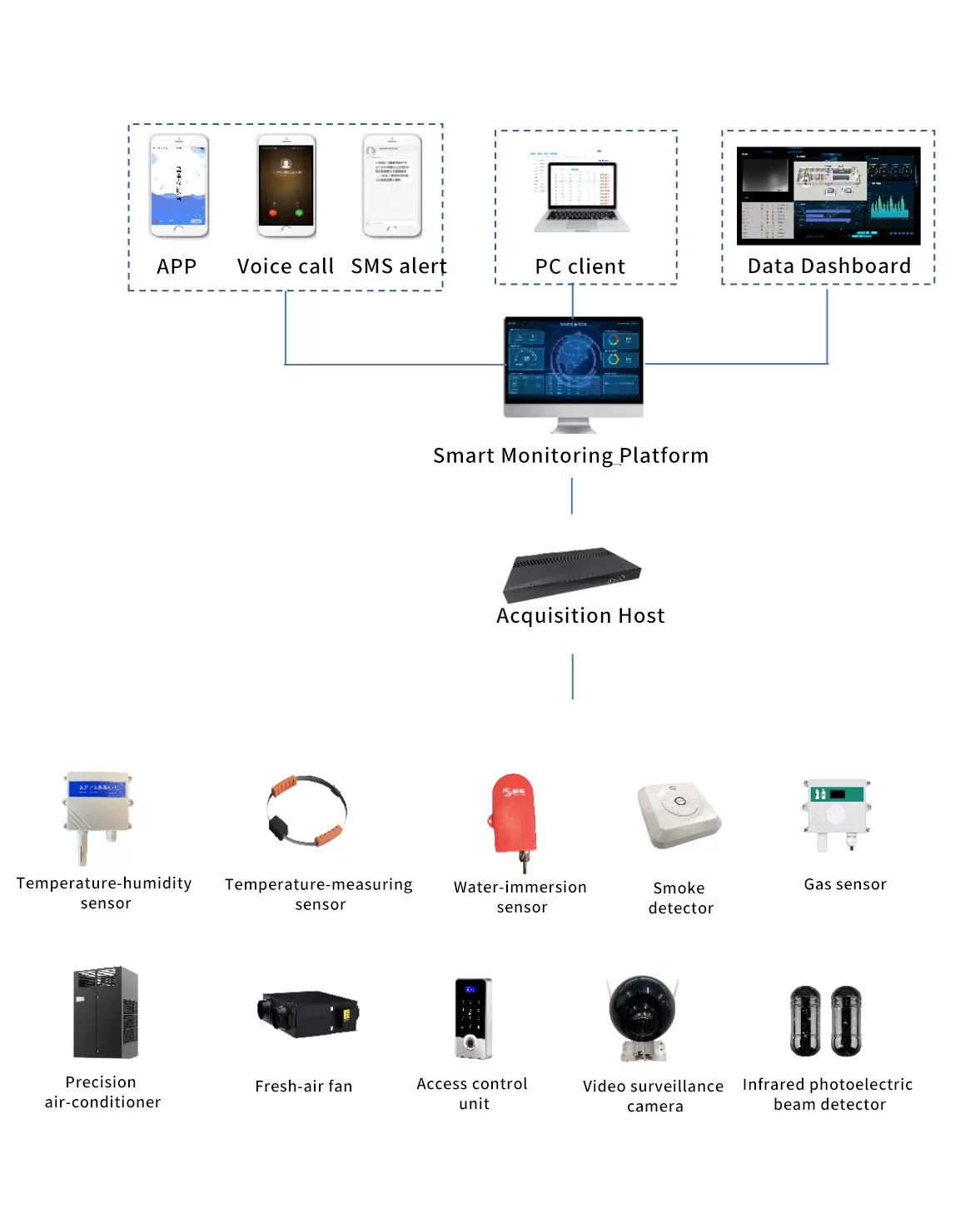
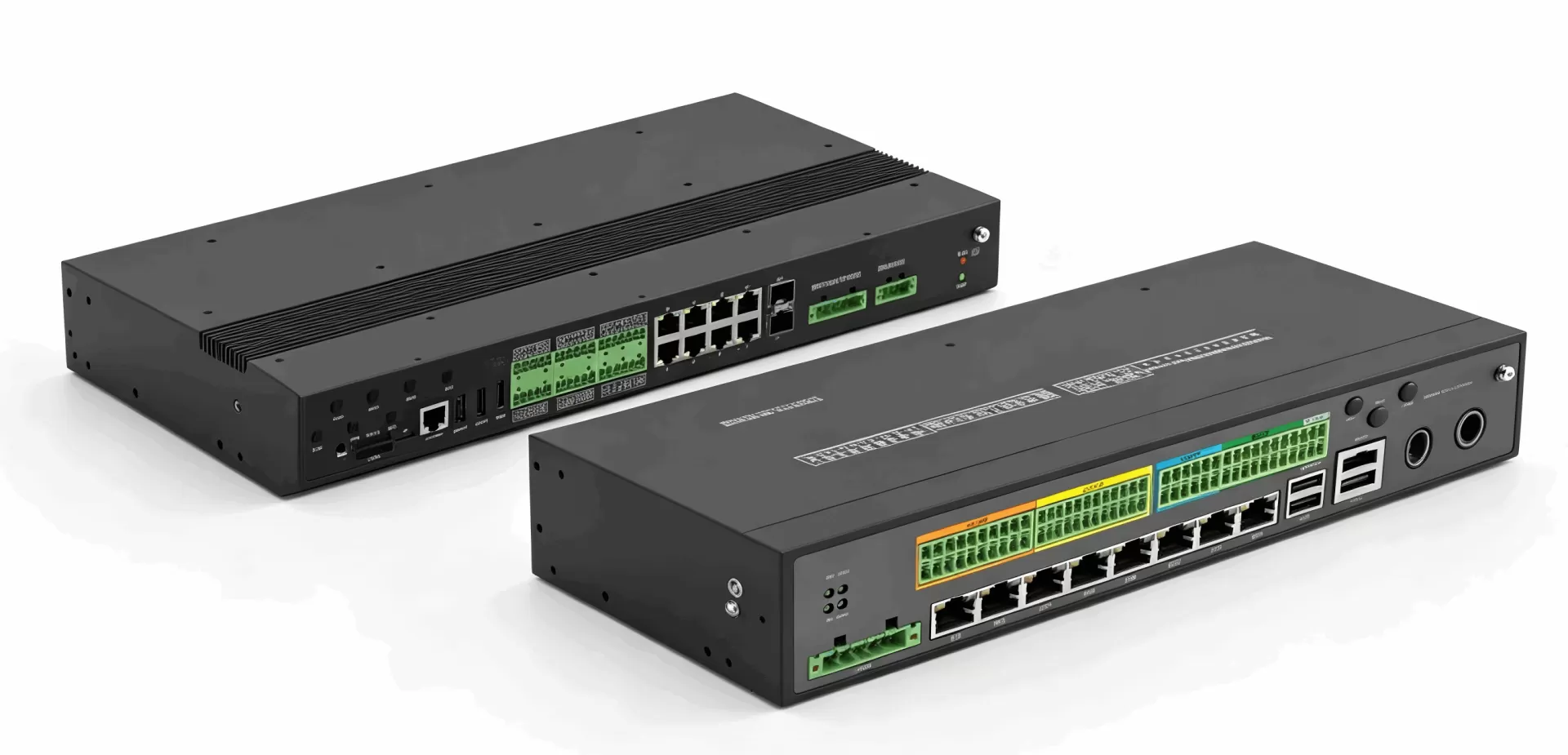
The HAOSHENG IoT Data Acquisition Gateway works as a Modbus RTU Ethernet converter and adds multi-channel RS-485 acquisition, Gigabit Ethernet, Modbus-RTU, Modbus-TCP and MQTT support, DIN-rail or wall mounting, and optional 4G/WiFi expansion. For projects that need local computing or AI inference, the RK3568 industrial edge gateway offers an optional NPU and LoRa/4G/5G expansion. For a single serial device at a remote site with no network cable, a 4G DTU is the lighter option.
On the field side, HAOSHENG Modbus temperature humidity sensors and RS-485 water leak sensors connect directly to these gateways using standard Modbus-RTU.
FAQ
Does Modbus RTU to TCP conversion change my data?
No. The function code and register data are copied unchanged. Only the header and the error check are replaced, so values, scaling and data types stay the same.
Can one Modbus RTU to TCP IP converter serve several SCADA systems?
Yes, if it supports multiple TCP connections. Requests are still handled one at a time on the serial bus, so response times grow with the number of clients. Active polling mode avoids this problem.
What is the difference between a Modbus converter and a serial device server?
Many serial device servers only offer transparent tunnelling, which is Modbus RTU over TCP. A true Modbus converter performs protocol conversion and presents standard Modbus TCP on port 502.
How many Modbus RTU devices can one port handle?
A standard RS-485 segment supports 32 unit loads, and Modbus allows addresses up to 247. In practice the limit is usually polling time rather than addressing, so plan your baud rate and polling interval around the refresh rate you need.
My master is serial and my devices are Modbus TCP. Can I convert that way?
Yes, but check that the converter supports it. This reverse direction needs the device to accept RTU requests on its serial port and forward them to Modbus TCP servers, and not every converter offers that mode.
Planning a Modbus integration? Contact HAOSHENG engineers with your device count, number of serial ports, baud rate and target platform, and we will recommend the right gateway configuration.